

Why Databases Matter for Your Website
Every dynamic website—from a small blog to a large e-commerce store—relies on a database to store and retrieve content, user information, orders, and settings. Without a database, your site would be static and unable to handle logins, comments, product catalogs, or any kind of personalized experience. As a hosting customer, understanding the basics of databases helps you make smarter decisions about your hosting plan, troubleshoot issues faster, and keep your data safe.
At HostPika, all our hosting plans include robust database support. Whether you choose Shared Hosting (cPanel), WordPress Hosting, or a VPS, you’ll have access to industry-standard database tools. In this guide, we’ll walk you through what databases are, how to pick the right one, how to manage them, and how to keep them secure and fast.

Understanding Database Basics
What Is a Database?
A database is a structured collection of data that can be easily accessed, managed, and updated. Think of it as a digital filing cabinet where information is organized into tables with rows and columns. For websites, databases store things like user accounts, blog posts, product details, and configuration settings. When someone visits your site, the web server queries the database and displays the relevant information.
Databases are managed by a Database Management System (DBMS). The most common DBMS used in web hosting are MySQL, MariaDB, and PostgreSQL. These systems use a language called SQL (Structured Query Language) to interact with the data. Even if you never write SQL yourself, your website’s software (like WordPress, Joomla, or Magento) will use it behind the scenes.
Relational vs. Non-Relational Databases
Most websites use relational databases, where data is organized into tables that can be linked through relationships. For example, a blog database might have a table for posts and another for comments, linked by a post ID. This structure ensures data consistency and allows complex queries.
Non-relational databases (also called NoSQL) store data in formats like documents, key-value pairs, or graphs. They are often used for very large-scale applications, real-time analytics, or when data doesn’t fit neatly into tables. Examples include MongoDB, Redis, and Cassandra. For most hosting customers, relational databases like MySQL or MariaDB are the right choice because they are widely supported by CMS platforms and e-commerce software.

Choosing the Right Database for Your Website
MySQL / MariaDB for CMS and E-commerce
MySQL is the most popular database for web hosting, and MariaDB is a drop-in replacement that offers better performance and additional features. Most open-source applications—including WordPress, Drupal, Joomla, and many e-commerce platforms like WooCommerce and Magento—are built to run on MySQL or MariaDB. If you’re just starting out or running a standard website, this is almost always the safest choice.
HostPika’s Shared Hosting (cPanel) and WordPress Hosting plans come with MySQL/MariaDB databases pre-configured and ready to use. You can easily create new databases through the control panel without touching the command line.
PostgreSQL for Advanced Applications
PostgreSQL is known for its advanced features, such as full-text search, JSON support, and stronger data integrity. It’s a great choice if you’re building a custom application with complex data relationships, geospatial data, or heavy reporting needs. Some modern frameworks like Django and Ruby on Rails work exceptionally well with PostgreSQL.
While PostgreSQL is available on many VPS and dedicated plans, it’s less common on shared hosting due to resource constraints. If your project requires PostgreSQL, consider a VPS where you have full control over the environment.
Other Database Options
Depending on your application, you might also encounter Redis (for caching and session storage) or MongoDB (for document-oriented data). These are typically used in addition to a primary relational database, not as a replacement. On shared hosting, these are rarely available, but on a VPS you can install and configure any database software you need.
Managing Databases Through cPanel and Plesk
cPanel Database Tools
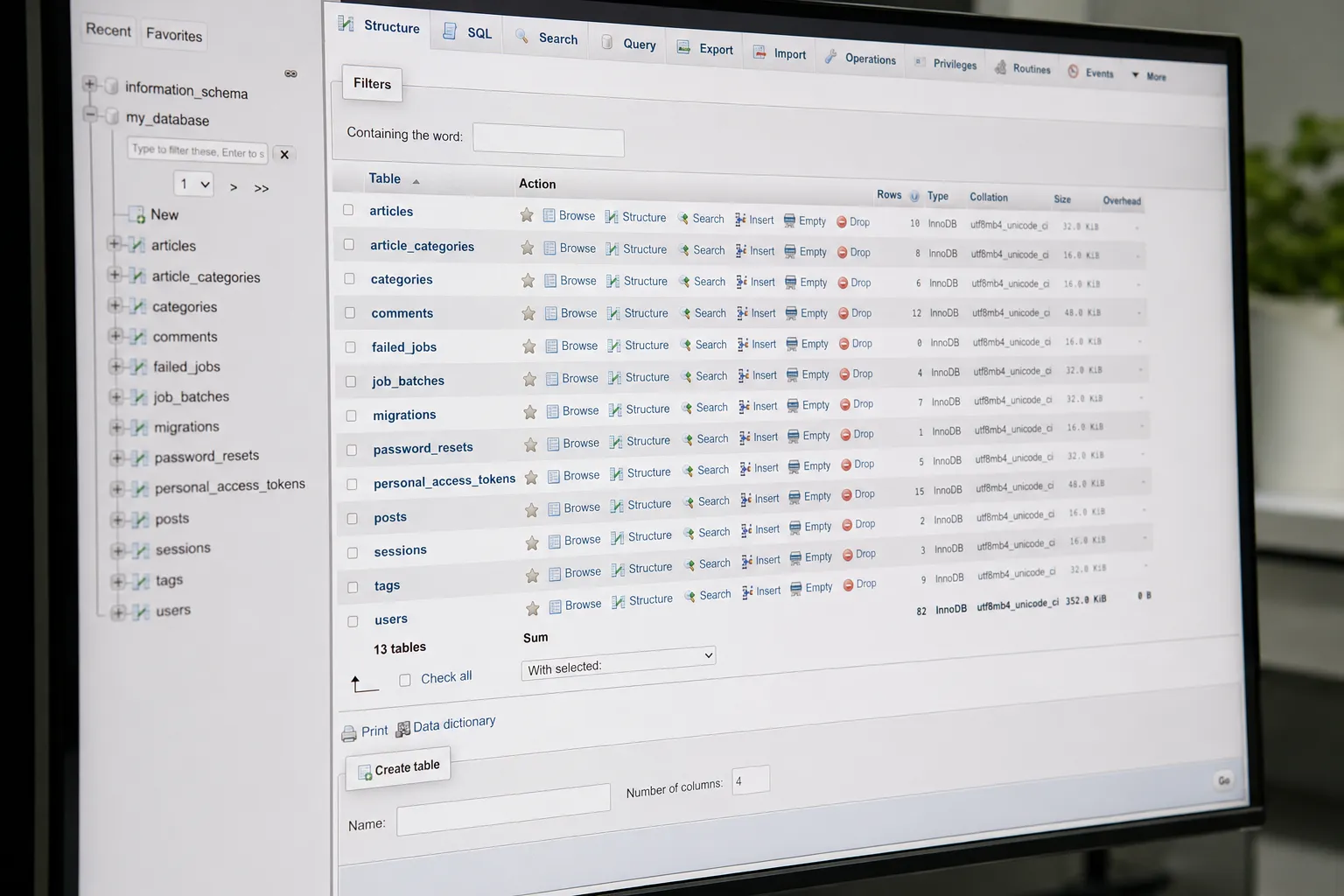
cPanel provides a user-friendly interface for managing MySQL databases. The MySQL Databases section lets you create databases, create database users, and assign privileges. You can also use phpMyAdmin, a web-based tool that allows you to browse tables, run SQL queries, import/export data, and repair tables—all from your browser.
If you’re on a Shared Hosting (cPanel) plan, you’ll find these tools in your control panel. Most one-click installers (like Softaculous) will automatically create a database when you install WordPress or another application.
Plesk Database Management
Plesk offers similar functionality with a modern interface. It supports MySQL, MariaDB, and PostgreSQL, and includes tools like phpMyAdmin and phpPgAdmin for database administration. Plesk also makes it easy to manage database backups and set up scheduled maintenance tasks.
If you prefer Plesk over cPanel, check out our Web Hosting Plesk plans. Both control panels are equally capable; the choice often comes down to personal preference or specific application requirements.
Database Security and Backups
Securing Your Database
Your database holds the most valuable part of your website: your data. A security breach can lead to data loss, defacement, or even complete site takeover. Here are some essential security practices:
- Use strong passwords for all database users, and avoid using the default or predictable names.
- Limit privileges: create separate database users for different applications, and grant only the permissions they need.
- Keep software updated: ensure your CMS, plugins, and database server are running the latest versions. HostPika’s infrastructure is kept up to date, but you should still update your applications.
- Restrict remote access: unless absolutely necessary, database connections should only come from localhost.
- Use SSL/TLS for connections to your database when possible, especially if you access it remotely.
For readers in the European Union, GDPR compliance is an important consideration. Store only the data you need, encrypt sensitive information, and ensure you have a lawful basis for processing. Our hosting infrastructure follows industry best practices for data protection, but you are responsible for how you handle data within your applications.

Regular Backups and Recovery
Backups are your safety net. Even with strong security, accidents happen—a bad plugin update, human error, or hardware failure can corrupt your database. Regular backups allow you to restore your site quickly. Most hosting providers, including HostPika, offer automated backup solutions. On Shared Hosting and WordPress Hosting, you can often set daily or weekly backups through the control panel. For more control, a VPS allows you to configure custom backup scripts and schedules.
We recommend testing your backups periodically to ensure they work. A backup that cannot be restored is useless.
Optimizing Database Performance
Indexing and Query Optimization
Slow database queries are one of the most common causes of a sluggish website. When a database table grows large, queries that scan the entire table become inefficient. Adding indexes to columns that are frequently used in WHERE, JOIN, or ORDER BY clauses can dramatically speed up queries. Most CMS platforms handle indexing automatically, but for custom applications, you may need to review slow query logs and add indexes manually.
If you’re not comfortable with SQL, there are plugins and tools (like Query Monitor for WordPress) that can identify slow queries and suggest improvements. On a VPS, you can also adjust database configuration settings like buffer sizes and cache limits for better performance.
Caching and Database Tuning
Caching reduces the load on your database by storing frequently accessed data in memory. For example, WordPress sites can use caching plugins like W3 Total Cache or WP Super Cache to serve static versions of pages instead of hitting the database on every request. Database-level caching (like MySQL query cache) can also help, but it’s often disabled in modern versions due to scalability issues.
On shared hosting, you have limited ability to tune database settings, but you can still benefit from application-level caching. On a VPS, you can adjust MySQL/MariaDB memory allocation, enable query caching, or use a separate caching layer like Redis. For most users, a good caching plugin combined with a well-optimized database is sufficient.

Scaling Your Database as Your Site Grows
When to Move from Shared Hosting to VPS
Shared hosting is perfect for small to medium websites, but as your traffic grows, you may hit resource limits—especially on database connections and memory. When you notice frequent database timeouts, slow page loads even with caching, or your host warns you about resource usage, it’s time to consider upgrading.
A VPS gives you dedicated resources and full root access, allowing you to optimize the database server for your specific workload. You can also host the database on a separate VPS from your web server for even better performance. This setup is common for larger e-commerce stores or web applications with heavy read/write patterns.
Database Replication and Load Balancing
For truly high-traffic sites, you may need to scale horizontally. Database replication involves creating one or more copies (replicas) of your primary database. Write operations go to the primary, while read operations can be distributed across replicas to reduce load. Load balancers can direct traffic accordingly. This requires more advanced configuration and is typically done on VPS or dedicated infrastructure.
If you’re unsure whether you need such a setup, start with a well-optimized single database on a VPS, and monitor performance. Many sites never need replication. HostPika’s VPS plans offer the flexibility to scale resources as your needs grow.
Conclusion: Get Started with HostPika Databases
Databases are the backbone of modern websites. Whether you’re running a simple blog or a complex web application, choosing the right database, managing it securely, and optimizing performance are essential skills for every hosting customer. HostPika makes it easy with user-friendly control panels, one-click installations, and reliable infrastructure.
If you’re ready to launch a new project or migrate an existing site, explore our Shared Hosting (cPanel) plans for a hassle-free start, or consider a VPS for more control and scalability. Our support team is available to help you choose the right plan for your database needs.