
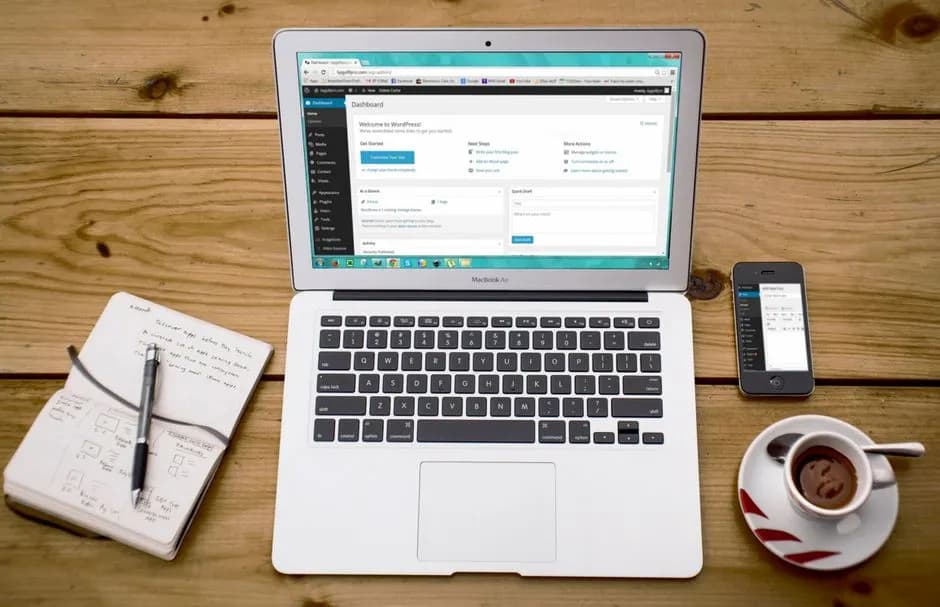
WordPress has grown from a simple blogging tool into the engine behind everything from personal portfolios to high-traffic ecommerce stores. If you're reading this, you're probably thinking about starting a WordPress site or moving an existing one, and one of the first decisions you'll make is where to host it. The right hosting environment can make WordPress faster, safer, and easier to manage, while the wrong one can slow you down and create unnecessary headaches. This guide walks through the key things you need to know about WordPress hosting, setup, performance, security, and SEO, with a practical focus on readers in the United States, Europe, the United Kingdom, Canada, and Australia.
Why WordPress Remains the Go-To Platform for Websites
WordPress is used by millions of site owners around the world, and its popularity is not an accident. The platform is open source, which means you can modify it, extend it, and move it between hosting providers without being locked into a proprietary system. For a small business in London, a blogger in Toronto, or an online store in Sydney, WordPress offers the same core flexibility and a huge library of themes and plugins. Whether you need a simple contact page, a membership area, an event calendar, or a full online shop, there is almost certainly a plugin or theme ready to help.
WordPress Powers Everything from Blogs to Stores
One of the reasons WordPress hosting is so sought after is that the platform scales with your ambitions. A freelance writer in New York can publish articles with a clean, lightweight theme, while a retailer in Berlin can run a full WooCommerce store with inventory management, payment gateways, and customer accounts. Because WordPress separates content from design, you can change your site's look without rebuilding your pages, and you can add new features like forums, portfolios, or booking systems as your needs grow. This flexibility is especially valuable for readers in regions where online business requirements vary, such as GDPR compliance for European customers or specific payment preferences in Australia and Canada.
What Makes WordPress Hosting Different?
Any web hosting account can technically run WordPress, but WordPress-specific hosting plans are tuned for the platform. They often include one-click installation, server-level caching, automatic core updates, and support teams familiar with common WordPress errors. Some plans also offer staging environments where you can test changes before pushing them live. If you want a smoother experience from day one, exploring a dedicated WordPress hosting plan is a smart move. It removes many of the manual steps that can trip up new site owners and gives you a foundation that is already optimized for WordPress.

Choosing the Right WordPress Hosting Plan
Not all WordPress hosting is the same, and the best choice depends on your traffic, your technical comfort level, and where your visitors are located. A personal blog with a few hundred monthly visits has very different needs from a busy online store processing dozens of orders per day. Taking a few minutes to understand the main types of hosting will help you avoid paying for resources you don't need or outgrowing a plan too quickly.
Shared vs. Managed WordPress Hosting
Shared hosting is the most budget-friendly starting point. Your site lives on a server with other websites, and resources such as CPU and memory are shared. For a new WordPress site with modest traffic, this can be perfectly fine, and plans like shared cPanel hosting are easy to use. If you expect faster growth or want more hands-on management, a managed WordPress hosting plan may be worth it. Managed plans typically include automatic updates, stronger security, and performance features specifically built for WordPress. For sites that need more dedicated resources, a VPS hosting plan gives you more control and isolation, though it requires a bit more technical knowledge. Check the current pricing on each linked page, as costs vary by plan and billing cycle.
Considering Location, Latency, and Compliance
Where your hosting server is physically located can affect how quickly your site loads for visitors. If most of your audience is in the United States or Canada, choosing a provider with data centers in North America can reduce the distance data travels. For readers in the United Kingdom or Europe, having servers closer to home can improve response times and help with compliance tasks like GDPR, since data stays within or near the EU. Australian site owners often face longer routes to North American data centers, so a provider with Asia-Pacific options or a strong content delivery network can make a noticeable difference. HostPika's WordPress hosting plans are built with this kind of global audience in mind, but always check the provider's network locations to match your primary visitor base.

Setting Up Your WordPress Site the Right Way
Once you have a hosting plan, the next step is to get WordPress installed and configured. Many hosts offer one-click installers that handle the technical parts for you, but there are still a few settings worth reviewing before you start publishing.
Domain, SSL, and Core Settings
Your domain name is your site's address, and it's best to choose one that is short, memorable, and relevant to your brand or topic. You can search for available domains using our domain search tool and register one before or after signing up for hosting. Once your domain is connected, make sure SSL is enabled. An SSL certificate encrypts data between your visitors' browsers and your server, and it is essential for building trust, accepting payments, and avoiding browser warnings. In WordPress, take a moment to set your site title and tagline, choose a clean permalink structure under Settings, and set your timezone. These small steps make your URLs readable and help scheduling work correctly.
Essential Plugins and Themes
WordPress is powerful because of its extensibility, but that does not mean you should install every plugin you find. Start with a lightweight, fast theme that matches your niche, and add only the plugins you truly need. Most sites benefit from a small set: one security plugin, one backup plugin, one caching plugin, and one SEO plugin if you want extra guidance. Avoid bloated multipurpose themes and overlapping plugins, because they can slow down your site and create conflicts. If you are not sure where to begin, our WordPress hosting plans often include curated recommendations and one-click staging to test new plugins safely.
WordPress Performance: Speed, Caching, and Images
A fast website keeps visitors engaged and sends positive signals to search engines. WordPress can be very fast out of the box, but as you add themes, plugins, and media, performance can suffer if you are not careful. Paying attention to speed from the start will save you trouble later.
Why Site Speed Matters for Visitors and SEO
People expect web pages to load quickly, and if your site is slow, many visitors will leave before it finishes rendering. Search engines also consider page experience as a ranking factor, so a site that loads slowly may find it harder to compete for top positions. For site owners in the US, UK, Canada, Europe, and Australia, where broadband is common but mobile usage is high, optimizing for mobile speed is especially important. A sluggish WordPress site can hurt your brand's credibility and reduce conversions, whether you are selling products or collecting email signups.
Simple Optimizations You Can Do Today
Start by enabling caching, which stores static versions of your pages so the server does not have to rebuild them for every visitor. Many WordPress hosting plans include server-side caching, and you can add a caching plugin if needed. Next, compress and resize images before uploading them, and use modern formats like WebP when possible. Remove unused plugins and themes, and consider a content delivery network to serve static files from locations close to your visitors. These steps require no advanced technical knowledge and can produce noticeable improvements in load time.
WordPress Security Basics Every Site Owner Should Know
Because WordPress is so widely used, it is also a common target for automated attacks. The good news is that most security issues arise from a handful of preventable mistakes, and a little diligence goes a long way.
Updates, Backups, and User Access
Keep WordPress core, themes, and plugins updated to the latest versions, as updates often patch known vulnerabilities. Use strong, unique passwords for your admin account and database, and enable two-factor authentication if your hosting provider or security plugin supports it. Regular backups are your safety net: if something goes wrong, you can restore your site quickly. Many managed WordPress hosting plans include automatic daily backups, but you can also use a backup plugin for added peace of mind. Limit the number of users with administrator access, and assign roles only as needed.
Protecting Forms and Login Pages
Login pages are common targets for brute force attacks, so consider limiting login attempts or changing the default login URL. Use a security plugin to block malicious traffic and scan for malware. If you run forms on your site, make sure they are protected with SSL and a spam filter. For European readers, remember that any data collected through forms must comply with GDPR, so be transparent about how you use personal information and provide clear opt-in consent where required. A secure site protects both you and your visitors.
SEO Fundamentals for WordPress Content
Search engine optimization helps your WordPress site get found by the right people. WordPress itself is fairly SEO-friendly, but you still need to apply some best practices to stand out in competitive niches.
Making Content Discoverable
Write for humans first, but keep keywords in mind naturally. Use clear headings, write descriptive title tags and meta descriptions, and include alt text for images. Internal links between your own pages help search engines understand your site structure, and they keep visitors moving through your content. For a local business in Manchester or Melbourne, include your city and service area in your content where it makes sense. For an online store selling to the EU, make sure your product descriptions and policies are clear and localized.
Technical SEO on WordPress
Beyond content, technical factors matter. Submit an XML sitemap to search engines, keep your site's structure logical, and make sure your pages are mobile-friendly. Fast loading times, which we covered earlier, are also part of technical SEO. An SSL certificate is a must for ranking signals and user trust. If you use a caching plugin, test your site after making changes to ensure nothing is broken. You can use free tools to check for crawl errors and duplicate content. Over time, a clean and fast WordPress site will earn more organic traffic than one that is cluttered and slow.
Ready to Launch Your WordPress Site?
WordPress gives you the freedom to build almost any kind of website, but the hosting foundation you choose will shape your experience. Whether you're starting a personal blog, a business site, or an online store, a hosting plan that is optimized for WordPress saves you time on maintenance and gives you room to grow. Take a look at our WordPress hosting options to see which plan fits your goals, and if you need a domain, start with our domain search to find the perfect address. With the right setup, your WordPress site can be fast, secure, and ready to reach visitors across the United States, Europe, the United Kingdom, Canada, and Australia.